How to save your tenor gifs
Tenor is going away soon, so some of you may want to save all the gifs you have accumulated over the years. This way is not perfect, but it should get most of them. It also keeps track of links that do not work, and tells you which ones are broken.
This project was written with Python 3.10.7 but it should probably work on most python 3 versions. I haven't checked.
Feel free to modify the code to your liking.
- Download your BS4 compressed list as a json called
mygifs.json file by following this reddit guide
Or you can follow this more exact guide for Firefox:
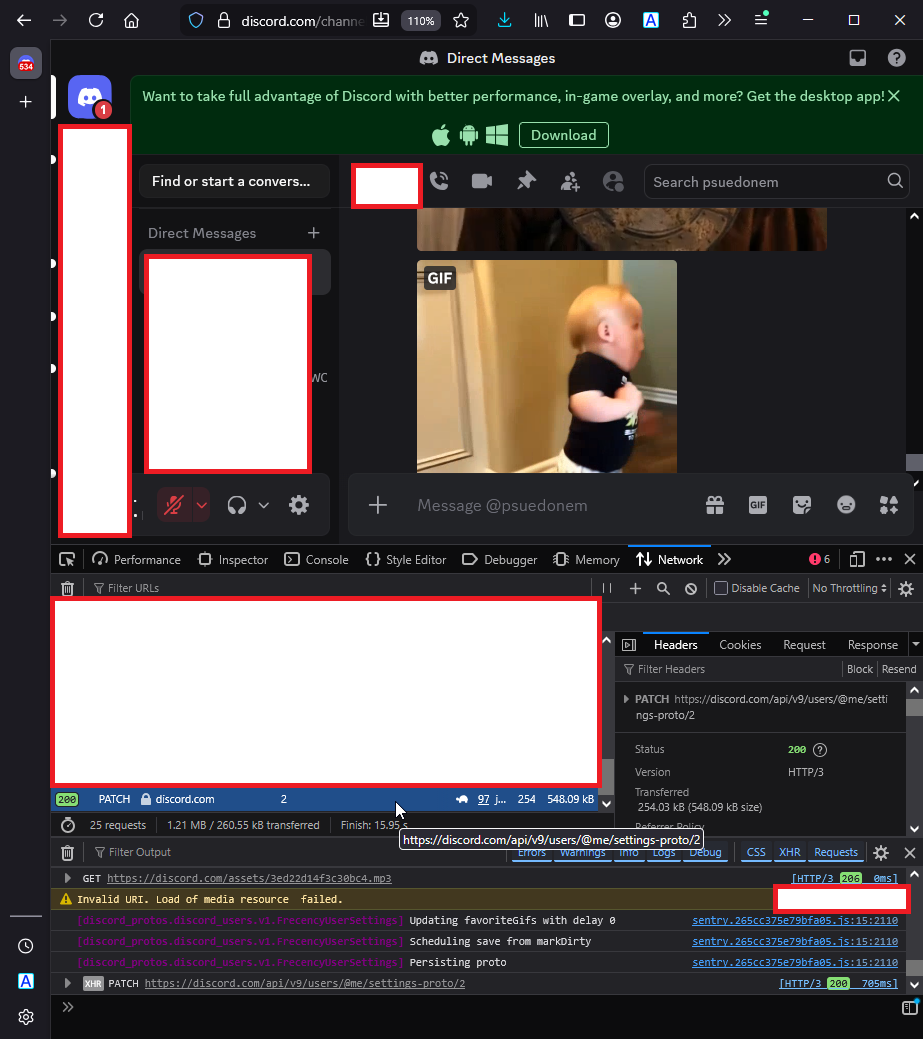
Open a random DM on discord, then use Control + Shift + I to open the uhh dev window, and shift over to the network tab. Next, star a random gif. In the open network tab, you should see a listing called "2". Click it.
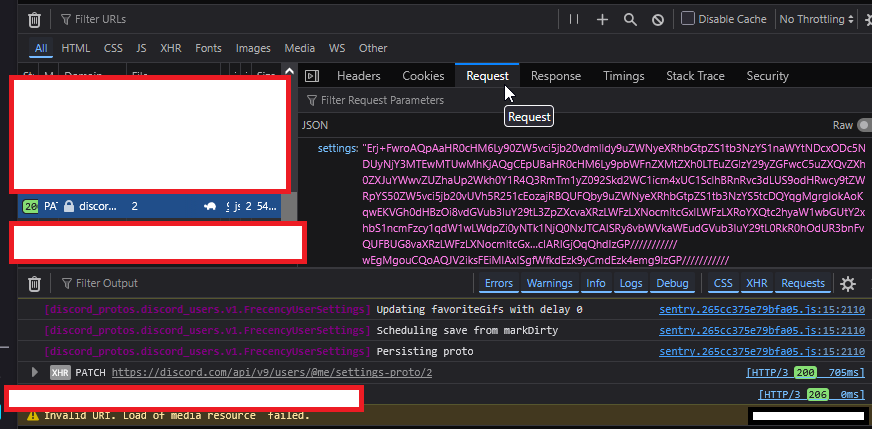
Go to the request tab. you'll see a thing called "settings" with a very long and bs4 encrypted value.
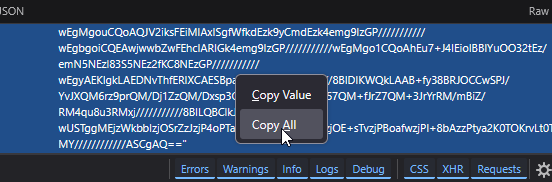
Right click on it, and select "Copy All"
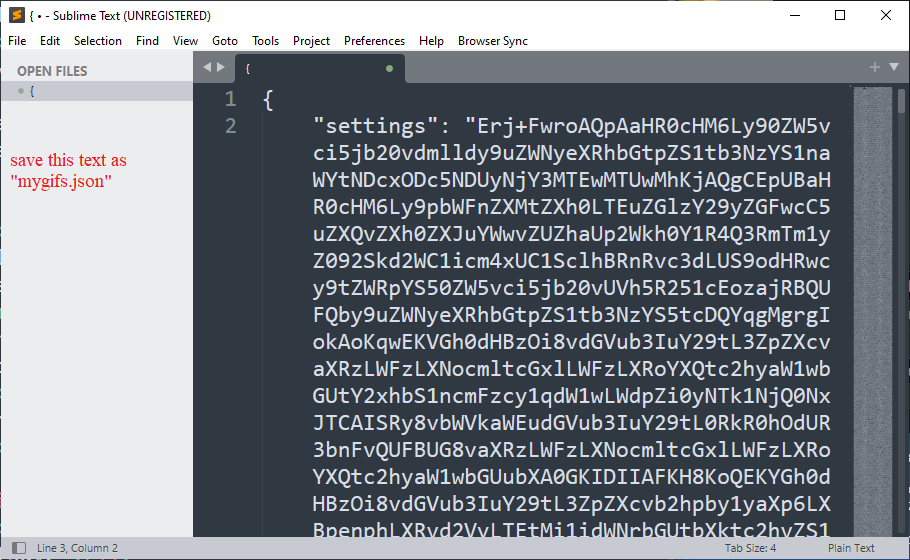
Paste it into a text editor, and save it as mygifs.json
- If you don't have it installed already, install the
requests module.
If you don't have it, go to your console or command prompt and run:
pip install requests
- Download this python script
- Run it by using this command:
dislink2.py mygifs.json
- Enjoy your gifs saved in the folder called "gifsave"
Some of them will be mp4s. Some of them will be webms. Some will probably be repeats. This just scours the file for links and downloads everything it can.
Inside the "gifsave" folder, you will also find a json called "notfound". Will contain all the links it found in the list but it could not download. This way, if you have them saved elsewhere, you can search by filename.
Update July 11, 2026, made some things more clear in the tutorial. If you have feedback or requests, send them here here!